Posted by UnknownSabtu, 23 November 20130
komentar
Oh Crap. My Parents Joined Facebook.
CONGRATULATIONS! YOUR PARENTS JUST JOINED FACEBOOK. YOUR LIFE IS OFFICIALLY OVER.
Can't Facebook with 'em, can't unFriend 'em!
So, you finally caved. You've accepted a friend request from your Mom, Dad, some crazy Aunt , and your friends Mother. Everything you click LIKE on or you comment on is shared with all of your friends in their ticker.
Well there is one solution where u can hide your posts, comments etc... without unFriend 'em!
If you want to hide that activity from a friend, you would have to add that person to your RESTRICTED list.
But there is no way to hide that activity from all of your friends with one setting, you would have to add individual friends to your restricted list.
Where is RESTRICTED list ? look at these screenshots.
You will find FRIENDS tab on the bottom of left hand side on your HOMEPAGE.
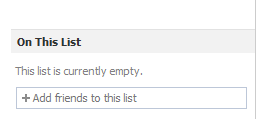
On the right side of the next page, there is a box where you can type a friend's name to add that person to the "restricted" list.
If the person is on your restricted list, the only ways to get them to be able to see the status update is to:
• Make the status update PUBLIC. • Use the "with" feature to tag the person in the status update. • Otherwise tag the the person in the original post.
Even if the person on your restricted list is tagged in a COMMENT for that status update, they will not be notified in any way, nor will they be able to see it.
You may also like :
Jarvis digital home assistant same as found in the movie 'Iron Man' click here.
Posted by UnknownSelasa, 20 Agustus 20130
komentar
How to Disable Ads on YouTube ?
Google's revenue depends largely on advertisement that is displayed on its properties, third party websites and in tools. As far as ads on YouTube go, most users see a roadblock ad on the homepage, in-stream videos ads and also ads near the content when videos are played or pages browsed on the site.
There are a lot of ways to block ads, but with a simple command in the developer console, you can disable all ads on YouTube via an experiment.
Google frequently tries out new features with experiments via TestTube. A less advertised experiment can disable all ads on the site. Here's how to turn it on:
Boom. No more ads. Since this is something that Google is allowing, it's possible it could go away in the future, but while it works, you get a lovely ad-free viewing experience without any plugins. It even works on those pesky video ads.
6 Simplest / Most easy Way To Download YouTube Videos without any Software
YouTube.com is one of the most popular video hosting resource and the third most popular website in the world. The success of this project is due to its convenience but the latter is limited when trying to download and save a video from YouTube. Not every video can be saved using common methods.
SaveFrom.net and other similar sites presents the fastest way to download videos from YouTube, providing the best quality of the videos saved from YouTube:
1st way: Just add "ss" before youtube in the address(URL of video) you wish to download on youtube.com
2nd way: If you want to download video from site other than youtube jst add "sfrom.net/" or "savefrom.net/" before the webpage URL address of that site and launch it. For Example: sfrom.net/http://www.metacafe.com/watch/10859296/always_look_on_the_bright_side_of_life/ and then push Enter button. You'll get the list containing direct links to download videos for all video files posted on that webpage.
3rd way: It is the usual way of downloading. Open SaveFrom.net and enter the URL address of the webpage from where you wish to download the videos. You'll get the list containing all direct links to download videos on that webpage.
4th way: SaveVid
SaveVid.com is one of the most used websites for downloading YouTube videos and it is quite simple. All you need to do is just copy-paste the URL of the YouTube video you want to download into the URL field at the top of the page on SaveVid.com and click ‘Download’. A popup will shows up on your screen click on either ‘Run’ or ‘Allow’. You will be asked to choose from the available video formats. Just click on the one you want and the downloading will start on your computer.
5th way: KeepVid
KeepVid.com is very similar to SaveVid. Just copy-paste the YouTube URL into the provided field and then choose the file format and quality that suits you best from the provided download links.
6th way: You can also choose to have that video as an MP3 (Audio song) by coping that YouTube video address and paste it into a YouTube to MP3 online converter e.g www.flvto.com It will convert that video and give you a download link to the MP3 right there. No software needed too.
This method works in all computers and smartphones e.g all Androids, iPhone, Blackberry, Windows mobile, Mozilla mobile, Ubuntu mobile and probably powerful Nokia Asha and X-series phones.
Cyberoamis a network security company of New Jersey, United States. Cyberoam is used to protect you from restricted/harmful site in a simple way. It is same as Windows Firewall and mostly used in Colleges/School computers to block sites which thy want their student to access. After installing cyberoam, you can manually select or deselect websites which you want to allow access or not. for e.g Facebook etc.Therefore in this post, we are going to crack its security by simply accessing blocked sites through a anonymous proxy web browser named as TOR Browser below:
Steps to Bypass/Hack Cyberoam For PC/Laptop User:
First download and install the TOR browser (available for Mac and other user's also), You can download it from its official site click here.
After installing open the tor exe file and run the browser (it generally takes sometime to load its files).
Tor comes with Mozilla Firefox skin and now you are ready to access restricted sites easily.
TOR Browser is a free software that helps you to browse internet without any short-comings. All you have to do is Download Tor Browser and Configure it and Browse to the uncensored internet.
Note For Android User's:
TO Bypass/Hack Cyberoam From Android Phone u just need to download an app known as ORBOT(Orbot: Proxy with Tor) which uses Tor to encrypt your Internet traffic and then hides it by bouncing through a series of computers around the world.
Jarvis digital home assistant same as found in the movie 'Iron Man' click here.
Credits: Nitin Singh
1. First of all download and install TOR Browser from its official sitehere. It is also available for MAC and other users.
2. Now after extracting all files inside, open its main TOR exe file properly.
3. Click on the following button and run the browser.
4. Please be patient because TOR Browser takes 2 mins to open with its full features.
5. Now it opens with Mozilla Firefox skin and you can access restricted sites very easily.
6. That’s it! Enjoy…
- See more at: http://www.krackoworld.com/2012/03/bypass-cyberoam-securitytor-browser.html#sthash.Ulpvub5m.dpuf
1. First of all download and install TOR Browser from its official sitehere. It is also available for MAC and other users.
2. Now after extracting all files inside, open its main TOR exe file properly.
3. Click on the following button and run the browser.
4. Please be patient because TOR Browser takes 2 mins to open with its full features.
5. Now it opens with Mozilla Firefox skin and you can access restricted sites very easily.
6. That’s it! Enjoy…
- See more at: http://www.krackoworld.com/2012/03/bypass-cyberoam-securitytor-browser.html#sthash.Ulpvub5m.dpuf
Cyberoam is a network security company of New Jersey, United States which secures you from malicious/restricted websites in easy manner. It is same as Windows Firewall and generally used in Colleges/school computers. It comes along with a software of them and by installing it, you can manually select or deselect that websites which you want to display or not. for e.g Facebook etc. Therefore in this post, we are going to crack its security by simply accessing blocked sites through a anonymous proxy web browser named as TOR Browser below: - See more at: http://www.krackoworld.com/2012/03/bypass-cyberoam-securitytor-browser.html#sthash.Ulpvub5m.dpuf
Cyberoam is a network security company of New Jersey, United States which secures you from malicious/restricted websites in easy manner. It is same as Windows Firewall and generally used in Colleges/school computers. It comes along with a software of them and by installing it, you can manually select or deselect that websites which you want to display or not. for e.g Facebook etc. Therefore in this post, we are going to crack its security by simply accessing blocked sites through a anonymous proxy web browser named as TOR Browser below: - See more at: http://www.krackoworld.com/2012/03/bypass-cyberoam-securitytor-browser.html#sthash.Ulpvub5m.dpuf
Cyberoam is a network security company of New Jersey, United States which secures you from malicious/restricted websites in easy manner. It is same as Windows Firewall and generally used in Colleges/school computers. It comes along with a software of them and by installing it, you can manually select or deselect that websites which you want to display or not. for e.g Facebook etc. Therefore in this post, we are going to crack its security by simply accessing blocked sites through a anonymous proxy web browser named as TOR Browser below: - See more at: http://www.krackoworld.com/2012/03/bypass-cyberoam-securitytor-browser.html#sthash.Ulpvub5m.dpuf
Cyberoam is a network security company of New Jersey, United States which secures you from malicious/restricted websites in easy manner. It is same as Windows Firewall and generally used in Colleges/school computers. It comes along with a software of them and by installing it, you can manually select or deselect that websites which you want to display or not. for e.g Facebook etc. Therefore in this post, we are going to crack its security by simply accessing blocked sites through a anonymous proxy web browser named as TOR Browser below: - See more at: http://www.krackoworld.com/2012/03/bypass-cyberoam-securitytor-browser.html#sthash.Ulpvub5m.dpuf
Cyberoam is a network security company of New Jersey, United States which secures you from malicious/restricted websites in easy manner. It is same as Windows Firewall and generally used in Colleges/school computers. It comes along with a software of them and by installing it, you can manually select or deselect that websites which you want to display or not. for e.g Facebook etc. Therefore in this post, we are going to crack its security by simply accessing blocked sites through a anonymous proxy web browser named as TOR Browser below: - See more at: http://www.krackoworld.com/2012/03/bypass-cyberoam-securitytor-browser.html#sthash.Ulpvub5m.dpuf
Cyberoam is a network security company of New Jersey, United States which secures you from malicious/restricted websites in easy manner. It is same as Windows Firewall and generally used in Colleges/school computers. It comes along with a software of them and by installing it, you can manually select or deselect that websites which you want to display or not. for e.g Facebook etc. Therefore in this post, we are going to crack its security by simply accessing blocked sites through a anonymous proxy web browser named as TOR Browser below: - See more at: http://www.krackoworld.com/2012/03/bypass-cyberoam-securitytor-browser.html#sthash.Ulpvub5m.dpuf
Cyberoam is a network security company of New Jersey, United States which secures you from malicious/restricted websites in easy manner. It is same as Windows Firewall and generally used in Colleges/school computers. It comes along with a software of them and by installing it, you can manually select or deselect that websites which you want to display or not. for e.g Facebook etc. Therefore in this post, we are going to crack its security by simply accessing blocked sites through a anonymous proxy web browser named as TOR Browser below: - See more at: http://www.krackoworld.com/2012/03/bypass-cyberoam-securitytor-browser.html#sthash.Ulpvub5m.dpuf
Cyberoam is a network security company of New Jersey, United States which secures you from malicious/restricted websites in easy manner. It is same as Windows Firewall and generally used in Colleges/school computers. It comes along with a software of them and by installing it, you can manually select or deselect that websites which you want to display or not. for e.g Facebook etc. Therefore in this post, we are going to crack its security by simply accessing blocked sites through a anonymous proxy web browser named as TOR Browser below: - See more at: http://www.krackoworld.com/2012/03/bypass-cyberoam-securitytor-browser.html#sthash.Ulpvub5m.dpuf
Cyberoam is a network security company of New Jersey, United States which secures you from malicious/restricted websites in easy manner. It is same as Windows Firewall and generally used in Colleges/school computers. It comes along with a software of them and by installing it, you can manually select or deselect that websites which you want to display or not. for e.g Facebook etc. Therefore in this post, we are going to crack its security by simply accessing blocked sites through a anonymous proxy web browser named as TOR Browser below: - See more at: http://www.krackoworld.com/2012/03/bypass-cyberoam-securitytor-browser.html#sthash.Ulpvub5m.dpuf
Cyberoam is a network security company of New Jersey, United States which secures you from malicious/restricted websites in easy manner. It is same as Windows Firewall and generally used in Colleges/school computers. It comes along with a software of them and by installing it, you can manually select or deselect that websites which you want to display or not. for e.g Facebook etc. Therefore in this post, we are going to crack its security by simply accessing blocked sites through a anonymous proxy web browser named as TOR Browser below: - See more at: http://www.krackoworld.com/2012/03/bypass-cyberoam-securitytor-browser.html#sthash.Ulpvub5m.dpuf
Cyberoam is a network security company of New Jersey, United States which secures you from malicious/restricted websites in easy manner. It is same as Windows Firewall and generally used in Colleges/school computers. It comes along with a software of them and by installing it, you can manually select or deselect that websites which you want to display or not. for e.g Facebook etc. Therefore in this post, we are going to crack its security by simply accessing blocked sites through a anonymous proxy web browser named as TOR Browser below: - See more at: http://www.krackoworld.com/2012/03/bypass-cyberoam-securitytor-browser.html#sthash.Ulpvub5m.dpuf
Radeon is a brand of graphics processing units and random-access memory produced by Advanced Micro Devices. The brand was launched in 2000 by ATI Technologies, which was acquired by AMD in 2006.
nVidia
Nvidiais an American global technology company based in Santa Clara, California. Nvidia manufactures graphics processing units (GPUs), as well as having a significant stake in manufacture of system-on-a-chip units (SOCs) for the mobile computing market.
nVidia or ATI Radeon(In My Opinion)
Price: Radeon cards have the edge over nVidia in terms of price.
Performance: In terms of performance for money, the Radeon cards have the edge.
Support : However in terms of support , I've found that Radeon drivers and in particular the Catalyst software to be buggy and poorly supported in the past and in my opinion it lets the hardware down.
Stability and Update: The NVIDIA drivers and software seem more stable and NVIDIA seem to release updates quickly when issues are found with specific games.
Closing Point: nVidia is more preferrrable for MID range GFX, whereas for high range and low range, I'll suggest you to go for ATI Radeon.